Welcome to the Vaadin Tutorial
This tutorial guides you through the basics of building a Spring Boot application with a Vaadin UI. You’ll start with an empty project and gradually add features to create a functional web application step by step.
You write the application in Java. Spring Boot runs it, Spring Data reads and writes its database, and Vaadin builds its user interface. You don’t need to know Spring Boot beforehand. The tutorial uses Spring Boot features, such as dependency injection, repositories, and transactions, without teaching them in depth. If one is new to you, the Spring Boot documentation explains it.
One step adds four short CSS rules to style the main layout, and explains each of them. That’s all the frontend code you need.
You’ll be building parts of the back office of a fictional Click & Collect service for a retail company. In the full back office, employees would manage the product catalog, process customer orders, and track deliveries. In this tutorial, you’ll build the product catalog, and the main layout with a navigation menu that the other parts would share:
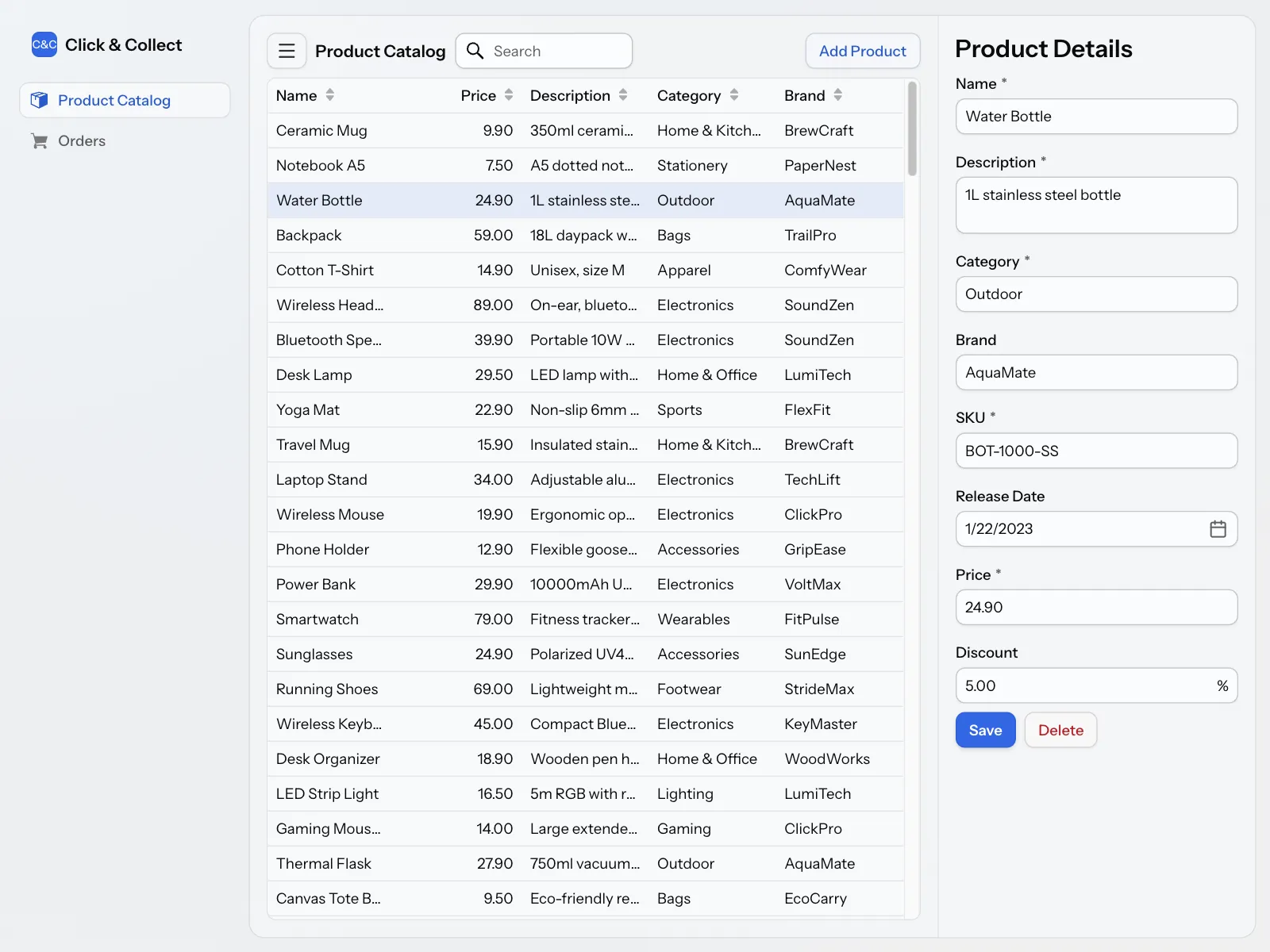
In each step, you’ll explore different aspects of Vaadin, including UI components, data binding, navigation, deep linking, testing, and more. Each step builds upon the previous one. Every step ends with the complete code for that step, so you can compare your files with it if something doesn’t work as expected. If you are interested in learning how to do a particular task in Vaadin, see the Building Apps guides instead.
Expect to spend 15 to 45 minutes on each step. You don’t need to finish the tutorial in one sitting. The application keeps working between steps.
|
Tip
|
In a Hurry?
If you only want to see Vaadin in action, the Quick Start gets you from nothing to a running application in minutes. You don’t need to complete it before this tutorial, which starts from an empty project.
|
- Set Up Project
- Set up a new Spring Boot project with Vaadin, and add the necessary dependencies and configuration.
- List Data
- Build your first Vaadin view that displays a product catalog using a grid component and data from a database.
- Sort & Filter
- Enhance the product catalog view by adding sorting and filtering capabilities.
- Show Details
- Build your first Vaadin form and turn the product catalog view into a master-detail view.
- Edit Details
- Add support for editing and saving items in the product catalog.
- Add Data
- Build your first Vaadin dialog and implement support for adding new items to the product catalog.
- Add Navigation
- Add a main layout with a navigation menu, and a second view to navigate to.
- Deep Link
- Use a route parameter to store the product item selection.
- Add Tests
- Write automated tests for the product catalog's service and view.